AInotateby DontPayFull Labs

Annotated screenshots for AI agents,
not directions in words.

Ask your agent where a setting is. It sends back the screen with the button boxed and numbered, and tells you to click 1. An MCP server, a command line tool and an agent skill, for web pages, windows and images you already have.

Free and open source · runs on your machine · Claude, Codex, Gemini CLI and Cursor

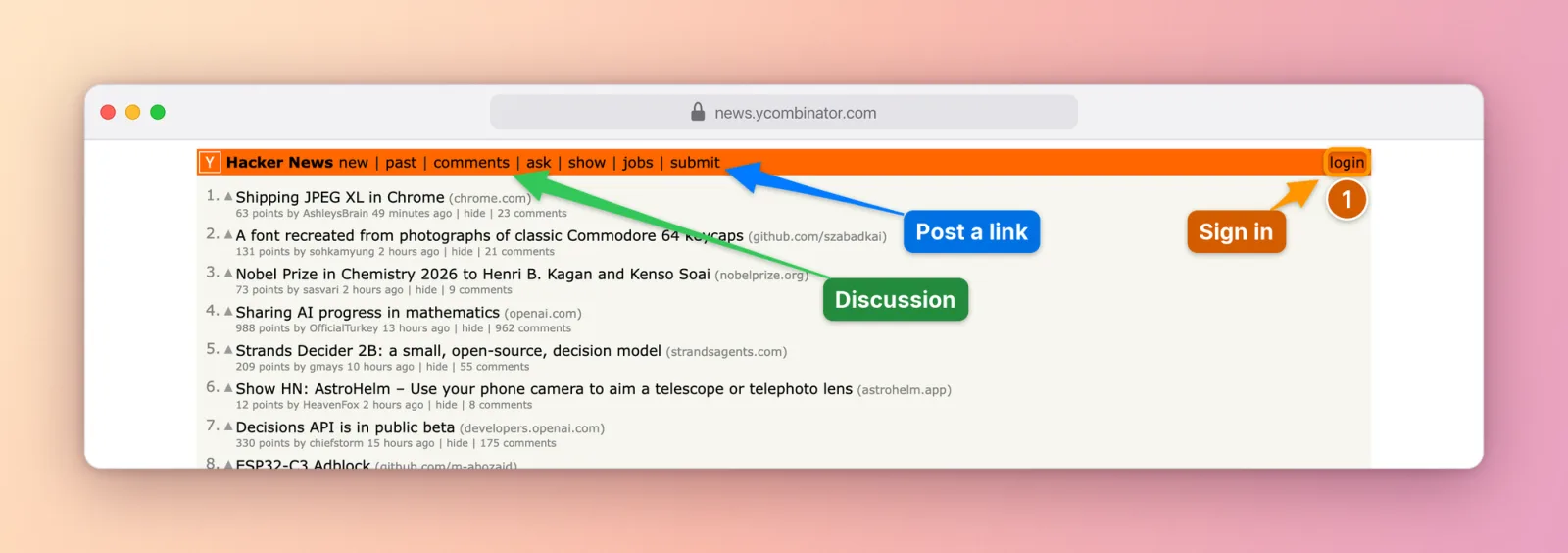
Hacker News with hand-drawn style arrows pointing at Discussion and Post a link, and a numbered Sign in step

Words versus a picture

The same question, answered two ways.

Without AInotate

Where do I change the text size on Wikipedia?

Look at the top right of the article. There is an Appearance menu, usually next to the Tools menu, though on some layouts it sits in the sidebar instead. Inside it, under Text, pick Standard, Small or Large. If you don't see it, try widening the window or check the hamburger menu.

With AInotate

Where do I change the text size on Wikipedia?

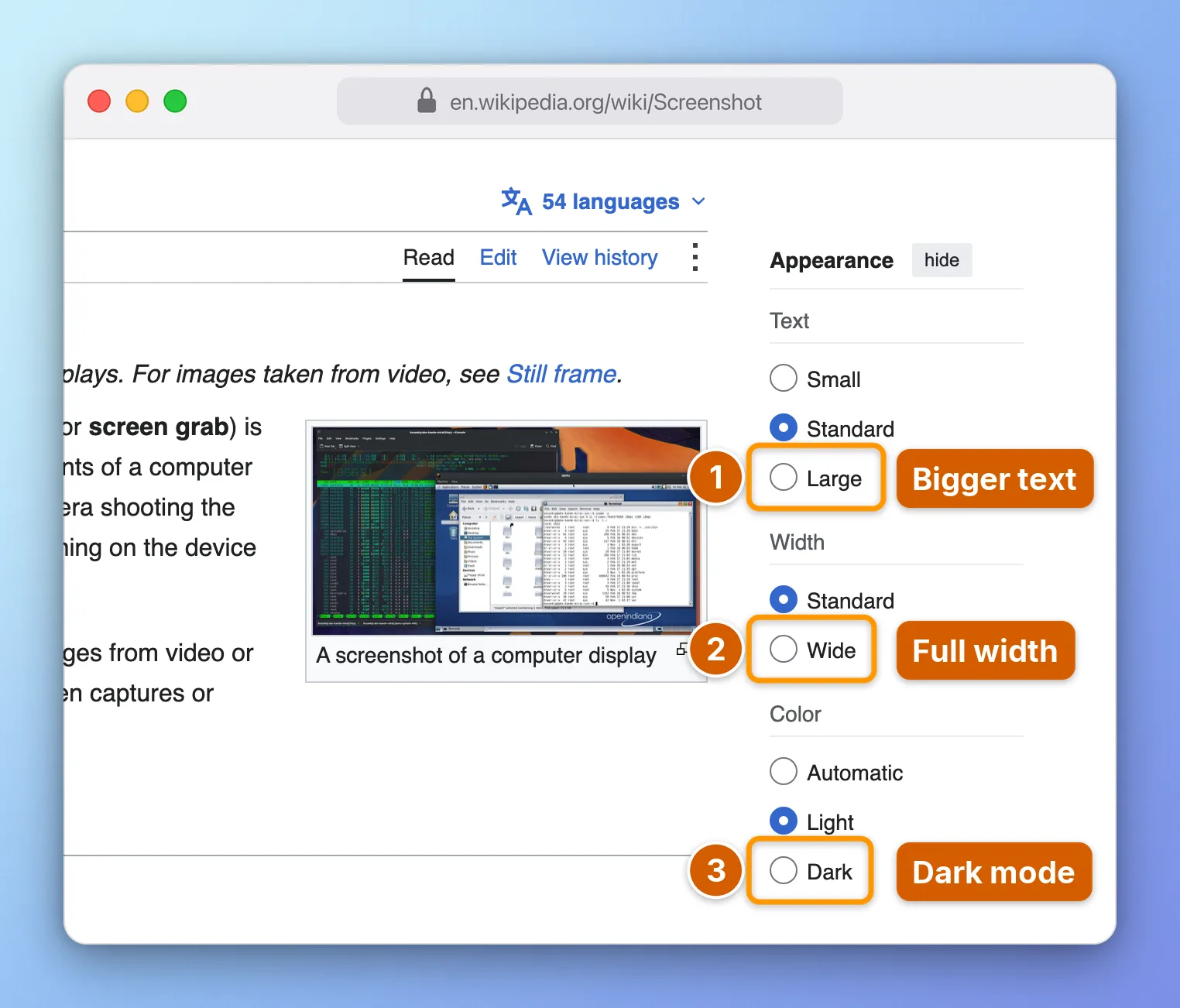
Wikipedia with the Appearance panel open and three numbered steps: Bigger text, Full width, Dark modeOpen Appearance and pick 1 for bigger text. 2 and 3 set full width and dark mode.
What people use it for

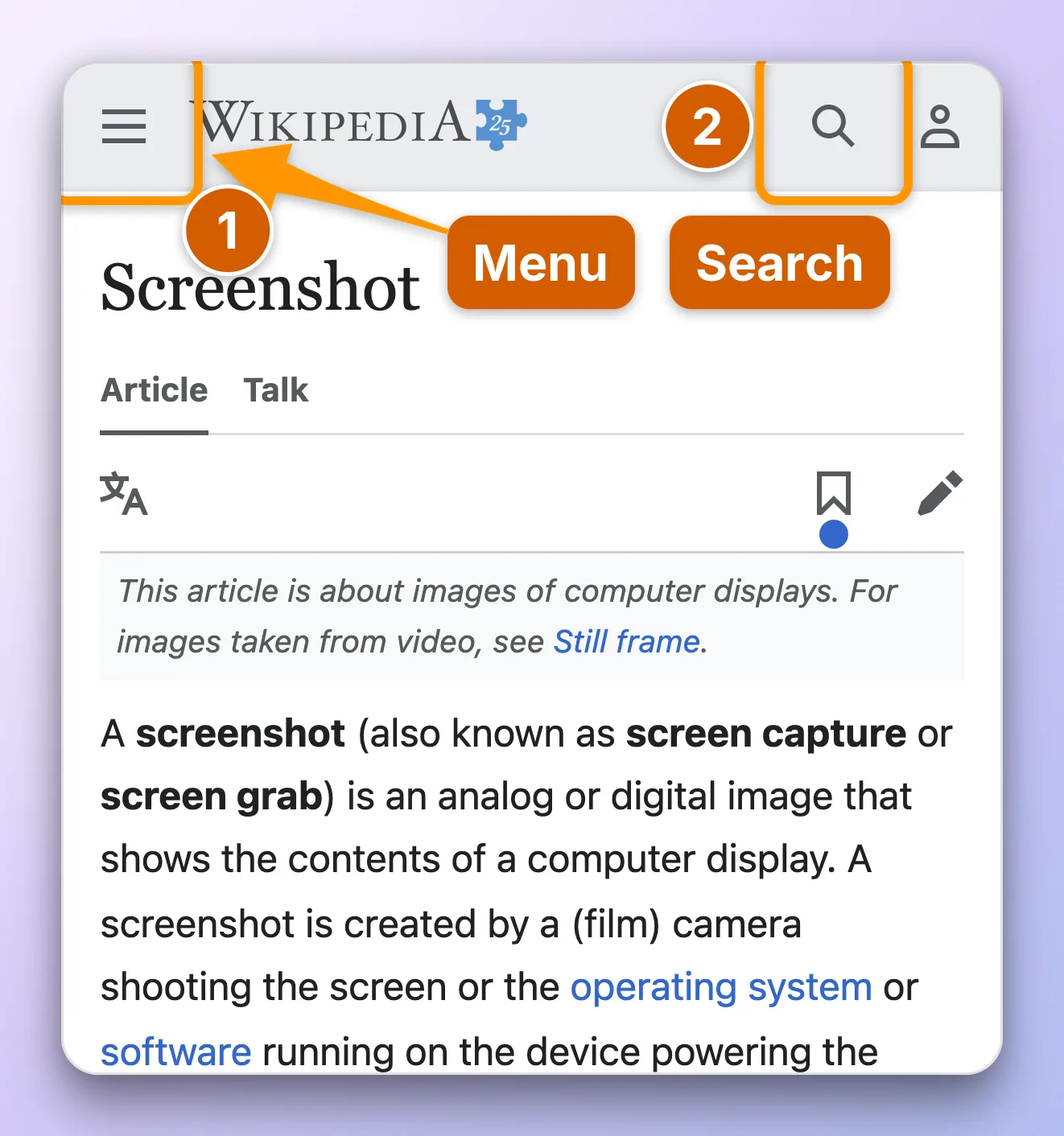
Wikipedia on a phone with step 1 on the Menu button and step 2 on Search

“Where is it?”

Settings, menus and buttons hidden behind icons. The agent answers with the screen itself, the control boxed and numbered.

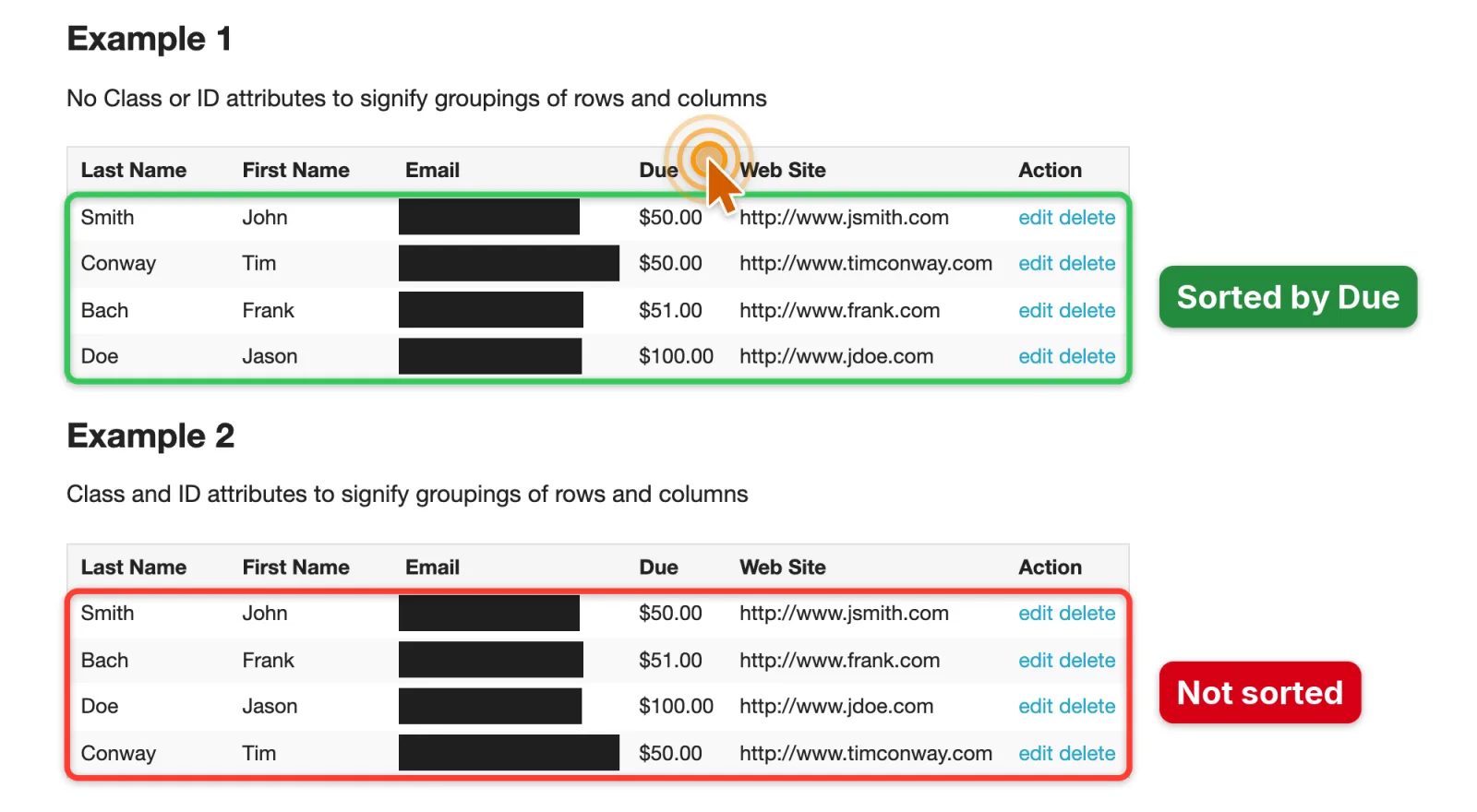
Two tables: the correctly sorted one marked in green, the unsorted one marked in red

Bug reports and tickets

What is wrong in red, what is right in green. Web shots made with shoot black out emails and tokens before you see them.

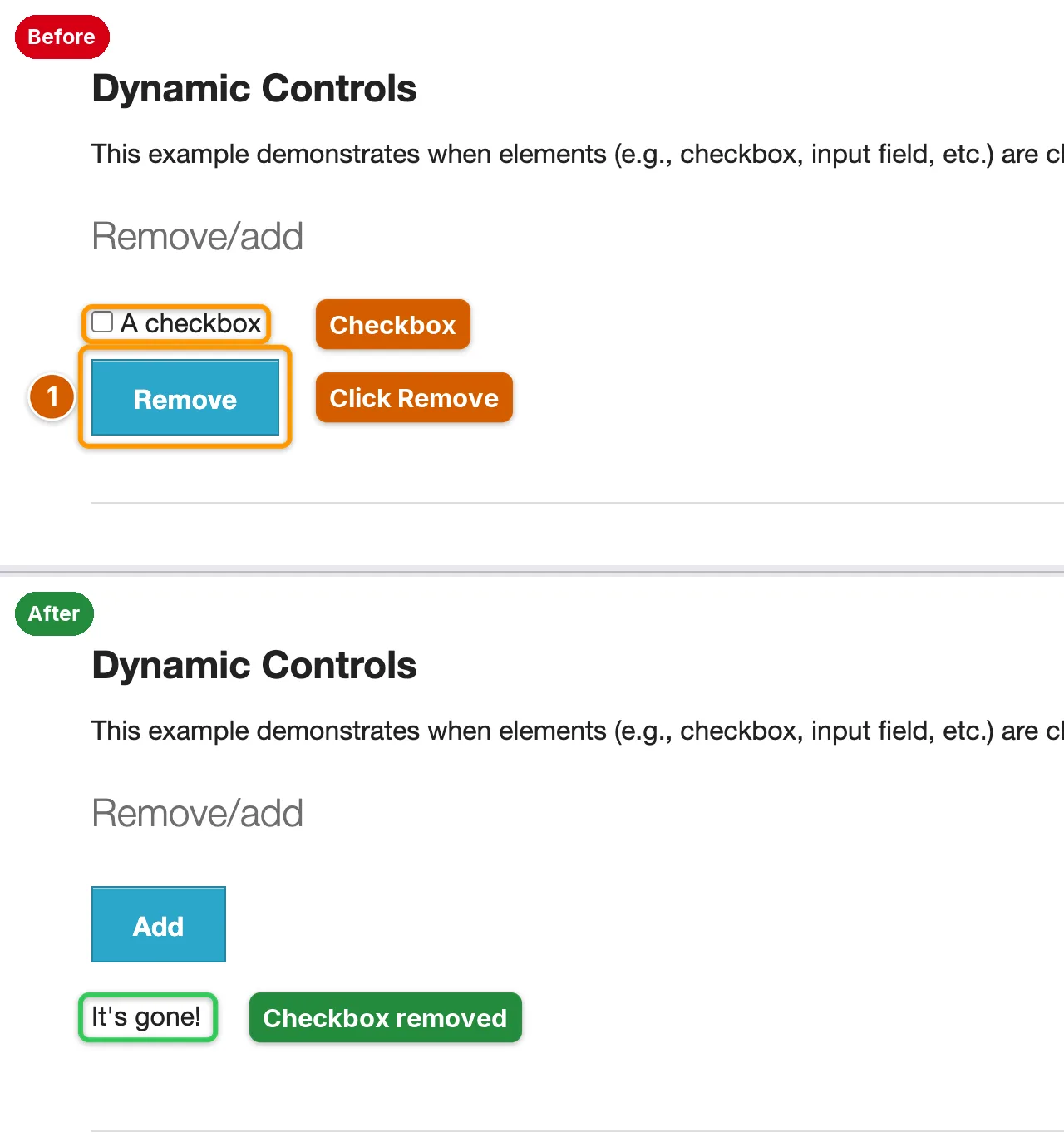
Before and after shots of the same controls, one above the other

Guides and changelogs

One image per step, exported as a Markdown, HTML or PDF guide. Before and after plates when the UI changes.

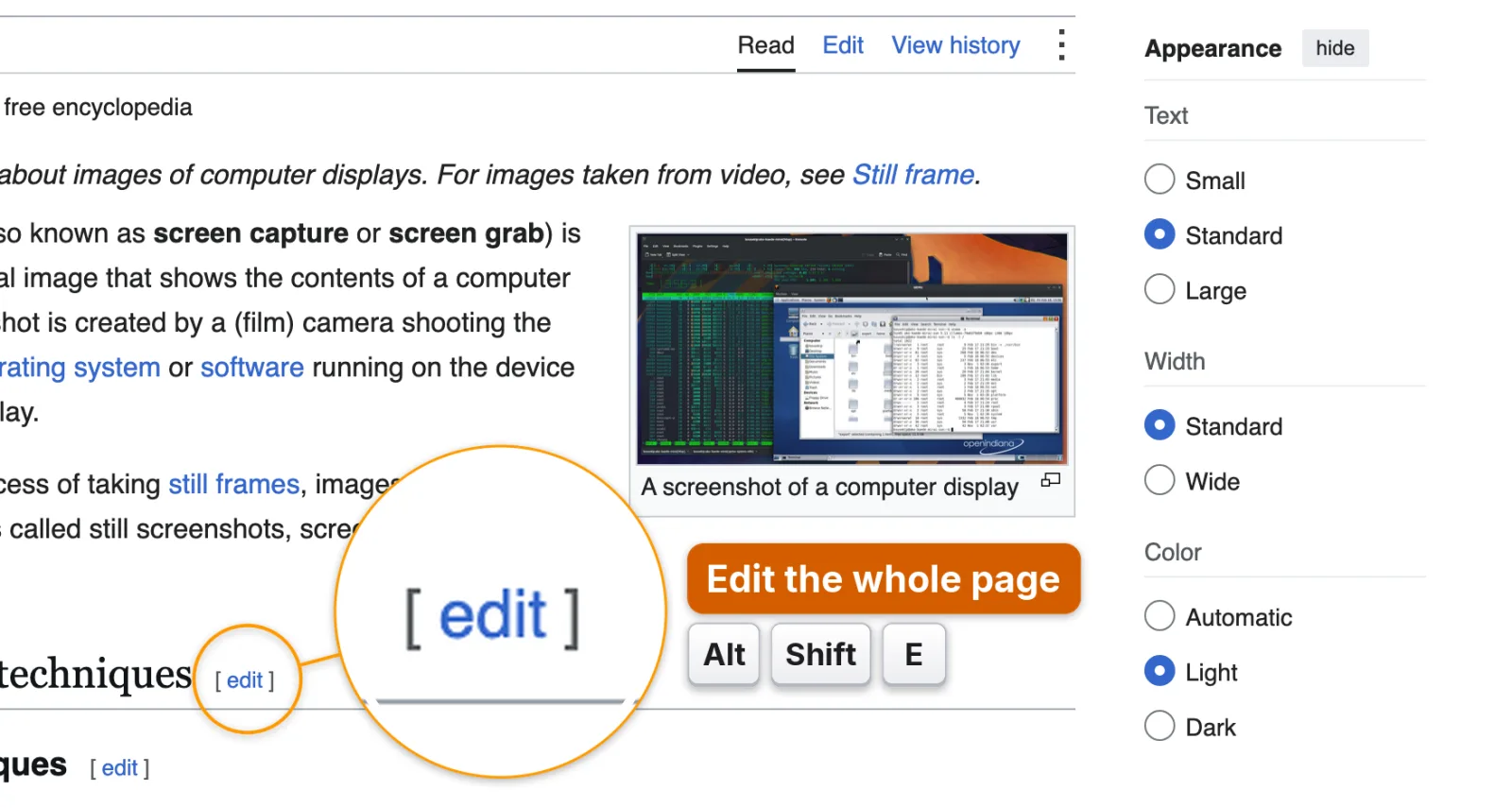
A magnifier over a small control and a keyboard shortcut drawn as keycaps

“Your turn”

Permission switches, 2FA codes, payments: the agent does not click for you. It shows what to press and says what the click does.

The same Hacker News labels placed at a fixed spot, covering text, and placed by AInotate in free space with arrows

Labels stay off the content. AInotate maps the text and icons on the page and puts each label in free space near its target, with an arrow that curves around what it would cover. Left: a fixed offset. Right: AInotate.

Install

The plugins bring two parts together: the skill, which tells the agent when and how to annotate, and the MCP server, which does the capturing and drawing. The plugin installs need uv.

How to install AInotate in each agent
Claude Code/plugin marketplace add dontpayfull/AInotate
then /plugin install ainotate@ainotate
CoworkCustomize > Plugins > Add marketplace > dontpayfull/AInotate, then install AInotate. Keep the Claude desktop app open while a task uses it.
Claude DesktopOpen ainotate-<version>.mcpb from the latest release. Nothing to install first.
Codexcodex plugin marketplace add dontpayfull/AInotate
then codex plugin add ainotate@ainotate
Gemini CLIgemini extensions install https://github.com/dontpayfull/AInotate
Cursor, Cline and other MCP clientsAdd the server below, then the skill with npx skills add dontpayfull/AInotate. VS Code finds it in the MCP Registry as io.github.dontpayfull/ainotate.
Command linebrew install dontpayfull/tap/ainotate (macOS)
or pipx install "ainotate[all]" (Python 3.10+)
{"mcpServers": {"ainotate": {"command": "uvx", "args": ["--from", "ainotate[all]", "ainotate", "mcp"]}}}

With the command line tool installed, {"command": "ainotate", "args": ["mcp"]} works too, and ainotate install-skill adds the skill for Claude Code and Codex. Config paths for every client: MCP setup.

Get started

  1. Step 1: Check the machine

    Ask your agent to run the doctor tool, or run ainotate doctor. It checks screen capture permission, the browser and OCR, and prints the exact fix for anything missing, such as the command that downloads Chromium for web capture (python -m playwright install chromium).

  2. Step 2: Ask your agent

    Try “Show me where to switch Wikipedia to dark mode.” The agent captures the page, finds the control, draws a numbered step, looks at the result and sends you the image. With the skill installed it also does this on its own whenever an answer depends on where something is on the screen.

  3. Step 3: Or drive it yourself

    A shot is a small JSON spec: where to capture and what to mark. Save it as hn.json and run ainotate shoot hn.json --draft.

    {"url": "https://news.ycombinator.com",
     "frame": {"chrome": "browser"},
     "marks": [
      {"type": "step", "n": 1, "target": {"text": "new", "exact": true}, "label": "Newest"},
      {"type": "step", "n": 2, "target": {"text": "login"}, "label": "Sign in"}]}

    Mark types: step, box, arrow, click, highlight, spotlight, magnify, keys, text and redact; the first four take a label. blur and pixelate only tone down clutter and are never used for secrets. Every command, the full spec, the Python API and exit codes are in the README.

Updating: brew upgrade ainotate, pipx upgrade ainotate, /plugin marketplace update ainotate in Claude Code, or the newer .mcpb for Claude Desktop. Stuck? Open an issue on GitHub with the output of doctor.

Privacy

DontPayFull never receives your screenshots. AInotate runs on your machine and hands its images to the agent you use. If that agent is Claude, Codex, Gemini or Cursor, the image becomes part of the conversation and goes to that provider under their terms.

  • No account, no telemetry, no server of ours. The only network traffic is loading the pages you capture and the downloads you install.
  • Web shots made with shoot black out emails, phone numbers, cards, API keys and tokens. For other images, turn it on with --privacy auto.
  • Solid blocks only, like the ones beside this list. Blur can be reversed, so it is never used to hide data.
  • Detection is best effort and raw captures are not redacted. The agent checks a preview before it sends the final image; look at it too.

Full privacy notes

Why we built it

At DontPayFull we run AI agents every day: in support, in admin panels, in our own tools. Whenever someone asked one of them where something was, it answered with a paragraph. We kept wanting the screenshot instead, so we wrote the tool that makes it, and then made it public.
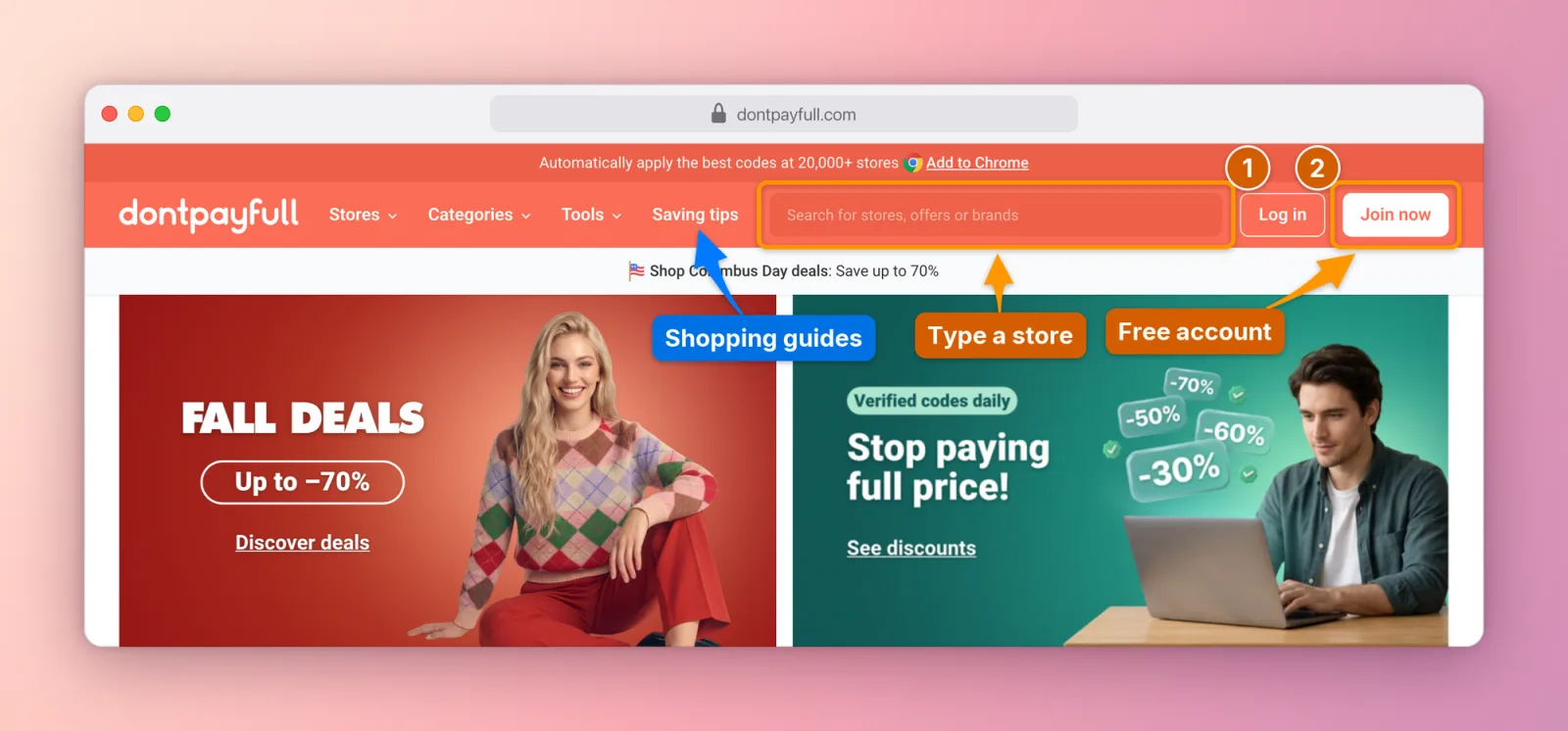
The DontPayFull home page annotated by AInotate: step 1 on Log in, step 2 on Join now, arrows to the store search and Saving tips
Our own home page, annotated the way we use it in support replies.

It is maintained by the DontPayFull engineering team. Issues and pull requests are welcome on GitHub.

Questions

Does DontPayFull see my screenshots?

No. Capture, OCR, redaction and drawing happen on your machine and nothing is sent to us. The images do reach your AI agent, and through it the agent's provider, the same way anything else you share in that chat does.

Which agents does it work with?

Claude Code, Cowork, Claude Desktop, Codex, Gemini CLI, Cursor and any client that speaks MCP. It also works on its own from the command line and from Python.

Which operating systems?

macOS is the tested platform. Windows and Linux are experimental: implemented and unit-tested with mocks, not yet verified on real machines. Targeting app UI elements works on macOS only, and Linux screen capture needs X11.

What does it cost, and what is the license?

Nothing. It is free software under the GNU AGPL v3.0 or later. If you run a modified AInotate as a network service, the AGPL requires you to offer its source to the users of that service.